
Last updated: November 2026. Written by Syed Usman Riaz.
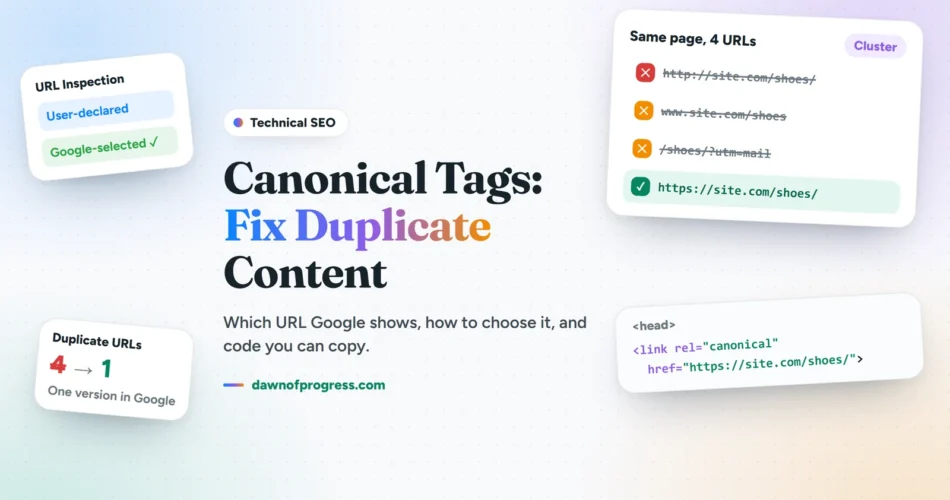
A canonical tag is a line of HTML, <link rel="canonical" href="https://example.com/page/">, placed in a page’s <head> to tell search engines which URL is the main version when the same content is reachable at several URLs. Google treats it as a strong signal, not a command: it also weighs redirects, sitemaps, internal links and HTTPS, and picks the URL it judges best. To control which URL shows in search, make all those signals point at the same URL, and use a 301 redirect instead when the duplicate doesn’t need to exist at all.
This guide covers what canonical URLs are, why duplicates appear on almost every site, the methods ranked by strength, copy-ready code, a decision table for canonical vs noindex vs 301, and how to read the canonical statuses in Google Search Console.
Key takeaways
- Duplicate content is normal and not a penalty. Google simply picks one URL to show. Your job is to make sure it picks the one you want.
- Strongest to weakest: 301 redirect, then
rel="canonical"(HTML tag or HTTP header), then sitemap inclusion. Use them together, all pointing at the same URL. - Every indexable page should have a self-referencing canonical with an absolute HTTPS URL in the
<head>. - Don’t use robots.txt or noindex to pick a canonical. Blocked pages can’t pass signals, and noindex removes the page entirely.
- Check in Search Console: URL Inspection shows “User-declared canonical” and “Google-selected canonical”. If they differ, your signals disagree.
What is a canonical URL?
A canonical URL is the one version of a page that search engines treat as the main copy when several URLs show the same or very similar content. Google calls the process of choosing it canonicalization: it groups duplicate pages into a cluster, then picks the most representative one to show in search results (Google Search Central: What is canonicalization).
Here is a simple example. To a person, these four addresses are the same page. To a search engine, they are four different URLs:
http://example.com/shoes/https://www.example.com/shoes/https://example.com/shoeshttps://example.com/shoes/?utm_source=newsletter
Only one of them should appear in Google. That one is the canonical URL. The others are duplicates (Google also calls them alternates).
The canonical page gets crawled most often, collects the ranking signals, such as links, from the whole cluster, and is the URL people see in search results. The duplicates are crawled less often.
What is a rel=”canonical” tag?
The rel=”canonical” tag (also called the canonical tag or canonical link element) is how you tell search engines which URL you prefer. It’s a <link> element in the HTML <head>, and it has two parts:
rel="canonical"says what kind of link this is: “this is the preferred version”.href="..."is the full URL of that preferred version.
<head>
  <title>Running Shoes for Women</title>
  <link rel="canonical" href="https://example.com/shoes/womens-running/">
</head>
You put this tag on the duplicate pages, pointing at the main page, and on the main page itself, pointing at itself. The tag doesn’t redirect anyone. Visitors can still open the duplicate URL; search engines just understand which URL to index and show.
Canonical tags are one part of technical SEO, the work that lets search engines crawl and index your site properly. If you’re new to SEO in general, start with what is SEO.
Why does duplicate content happen?
Most duplicate URLs aren’t copied content. They’re created by how websites, servers and platforms work. These are the causes I find on almost every site I audit:
| Cause | Example duplicate URLs | Best fix |
|---|---|---|
| HTTP and HTTPS | http://example.com/ and https://example.com/ | 301 redirect to HTTPS |
| www and non-www | www.example.com and example.com | 301 redirect to one version |
| Trailing slash | /shoes/ and /shoes | 301 redirect to one format |
| Tracking parameters | /shoes/?utm_source=facebook | Self-referencing canonical on the clean URL |
| Sorting and filters | /shoes/?sort=price&color=red | Canonical to the unfiltered page (or let useful filters be indexed) |
| Session IDs | /shoes/?sessionid=8f2a1 | Canonical, and stop adding IDs to URLs |
| Print and AMP versions | /shoes/print/ | Canonical to the main page |
| Product in several categories | /men/sale/shoe-123 and /shoe-123 | Canonical to one product URL |
| Pagination | /blog/page/2/ | Self-referencing canonical on each page |
| Region variants in one language | example.com/us/ and example.com/uk/ | hreflang plus self-referencing canonicals |
| Syndication | Your article republished on a partner site | Partner adds noindex (see below) |
| Staging or demo site | staging.example.com left open to crawlers | Password protect it |
Google lists region variants, device variants, protocol variants, site functions such as sorting and filtering, and accidental variants such as a demo site as the main reasons duplicates exist (Google Search Central).
Is duplicate content a Google penalty?
No. Google says some duplicate content on a site is normal and “not a violation” of its spam policies. The real costs are practical: the wrong URL may rank, links get split across versions, crawl time is wasted on copies, and your reports are harder to read. Deliberately copying other sites’ content is a different matter and is covered by Google’s spam policies.
How does Google choose a canonical URL?
Google groups pages with the same or very similar main content, then picks the URL it thinks is most complete and useful for searchers. Your canonical tag is one input into that choice. Google’s own words are that a canonical preference “is a hint, not a rule”, and its documentation describes rel="canonical" as a strong signal rather than a directive.
The signals Google weighs include:
- Redirects: a URL that redirects to another is a very strong vote for the target.
- rel=”canonical”: in the HTML head or the HTTP header.
- Sitemap inclusion: URLs in your XML sitemap are suggested as canonicals, but this is a weak signal.
- HTTPS over HTTP: Google prefers HTTPS unless the HTTPS version has problems, such as an invalid certificate.
- Internal links: the URL your own site links to consistently.
- hreflang clusters: pages that are part of a correct hreflang set are preferred.
- Content quality: the page that is most complete and works best for users.
When all signals agree, Google almost always follows your choice. When they conflict, for example your canonical tag says /shoes/ but your sitemap lists /shoes and your menus link to /shoes?ref=nav, Google has to guess. In my client work since 2014, nearly every “Google ignored my canonical” problem turned out to be mixed signals like these, not Google being stubborn.
Which canonicalization methods are strongest?
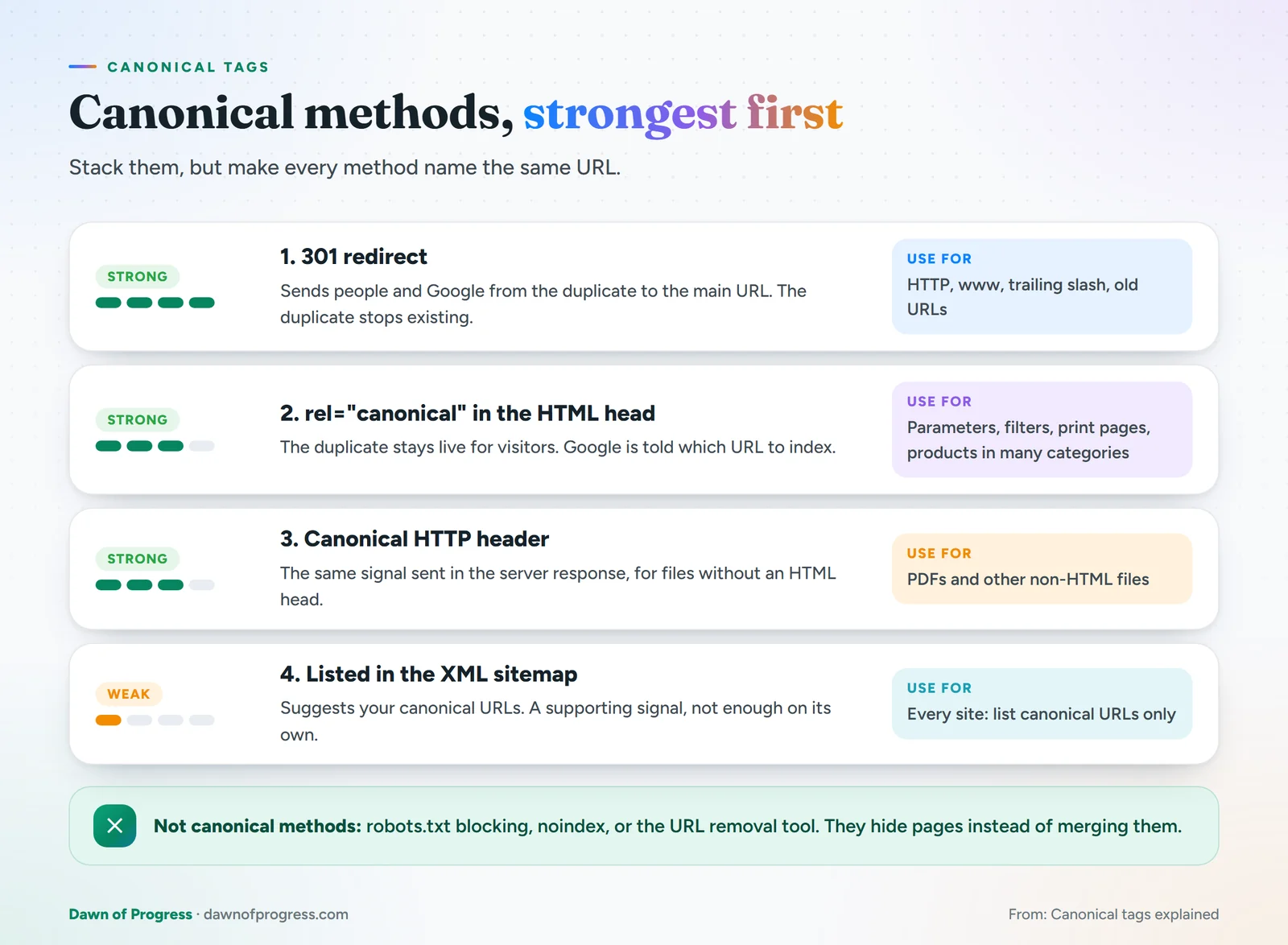
Google documents three main methods and ranks them by strength (Google Search Central: How to specify a canonical URL). The methods stack, so use more than one, as long as they all name the same URL.
| Method | Strength | Best for | Visitors still see the duplicate? |
|---|---|---|---|
| 301 redirect | Strong | Duplicates that shouldn’t exist (HTTP, www, old URLs, trailing slash) | No, they land on the canonical |
| rel=”canonical” link element in HTML | Strong | Duplicates that must stay live (parameters, filters, print pages, product variants) | Yes |
| rel=”canonical” HTTP header | Strong | Non-HTML files such as PDFs | Yes |
| Sitemap inclusion | Weak | Large sites, as a supporting signal | Yes |
1. 301 redirects (strongest)
A 301 redirect is a permanent redirect: the server sends anyone who requests the old URL to the new one. Use it when the duplicate has no reason to exist, such as HTTP versions, the www or non-www version you don’t use, and old URLs after a site change. Server-side redirects (set in your server, host or CDN) work fastest. Google says to use redirects when you’re retiring a duplicate URL.
2. The rel=”canonical” link element
Use the HTML tag when the duplicate must stay reachable for users, like a filtered category page or a URL with tracking codes. It’s the most common method, and every major CMS supports it.
3. The rel=”canonical” HTTP header
PDFs, Word files and other non-HTML documents have no <head>, so you send the canonical in the HTTP response instead. This is useful when the same PDF lives at two URLs, or when you have an HTML page and a PDF with the same content. Google supports this header for web search results.
4. Sitemap inclusion (weakest)
List only canonical URLs in your XML sitemap. It won’t override other signals, but it’s an easy, site-wide hint, and a sitemap full of non-canonical URLs actively sends mixed messages.
How do you add a canonical tag? (copy-ready code)
Here are the patterns you’ll use most. Replace example.com with your own domain, and always write the full URL, including https://.
Self-referencing canonical on a normal page
<link rel="canonical" href="https://example.com/blog/canonical-tag/">Duplicate page pointing to the main page
On https://example.com/shoes/?sort=price:
<link rel="canonical" href="https://example.com/shoes/">Product in several categories
On https://example.com/sale/blue-trainers/:
<link rel="canonical" href="https://example.com/products/blue-trainers/">HTTP header canonical for a PDF
Your server sends this header with the PDF:
Link: <https://example.com/downloads/price-list.pdf>; rel="canonical"On an Apache server, you can add it in .htaccess (the mod_headers module must be enabled):
<Files "price-list-2026.pdf">
  Header add Link "<https://example.com/downloads/price-list.pdf>; rel=\"canonical\""
</Files>
Server redirect from HTTP to HTTPS (Apache example)
RewriteEngine On
RewriteCond %{HTTPS} off
RewriteRule ^(.*)$ https://example.com/$1 [L,R=301]
Many hosts and CDNs have a “force HTTPS” switch that does this for you; prefer it over editing server files.
Rules for writing the tag correctly
- Put it in the
<head>. Google ignores canonical tags in the<body>. Invalid HTML higher in the head (such as an image or iframe) can close the head early and push your tag into the body. - Use absolute URLs.
https://example.com/page/, not/page/. Relative URLs are supported but easy to break. - Use one method per page. Don’t send an HTML tag and an HTTP header that name different URLs.
- Don’t add extra attributes. Google ignores canonical links that carry
hreflang,lang,mediaortype. Userel="alternate"for those cases. - Set it in the HTML source. If JavaScript must set the canonical, don’t change an existing one with JavaScript.
- Point to a live, indexable page that returns status 200.
Should every page have a self-referencing canonical?
Yes. A self-referencing canonical is a canonical tag that points to the page’s own URL. Google recommends it on canonical pages too, and it’s good protection: when someone links to your page with ?utm_source=... or ?fbclid=... added, the tag tells Google the clean URL is the real one.
The exception is pages you don’t want indexed at all. A page with noindex doesn’t need a canonical, and adding one sends mixed signals (more on that in the decision table below).
Most CMSs and SEO plugins add self-referencing canonicals automatically, so on a typical site your job is to check that they’re correct, not to write them by hand.
Can you use a canonical tag across domains?
Yes. A cross-domain canonical points from a page on one domain to a page on another, for example from shop.example.net/blue-trainers/ to example.com/products/blue-trainers/ when you run two sites with the same product feed. Google supports this, and it’s the clean way to handle the same content living on two sites you control.
What about syndicated articles?
Be careful here, because the advice changed. If a news site or partner republishes your article, Google no longer recommends the cross-domain canonical as the main fix. Its documentation says syndicated pages are often quite different from the original, and that “the most effective solution is for partners to block indexing of your content” with noindex (Google Search Central: Fix canonicalization issues). In practice:
- Best: the partner adds a noindex robots meta tag to their copy and links back to your original.
- Fallback: if they won’t noindex, ask for a cross-domain canonical to your original plus a link to it. It’s a weaker signal here, but better than nothing.
Canonical vs noindex vs 301 redirect: which should you use?
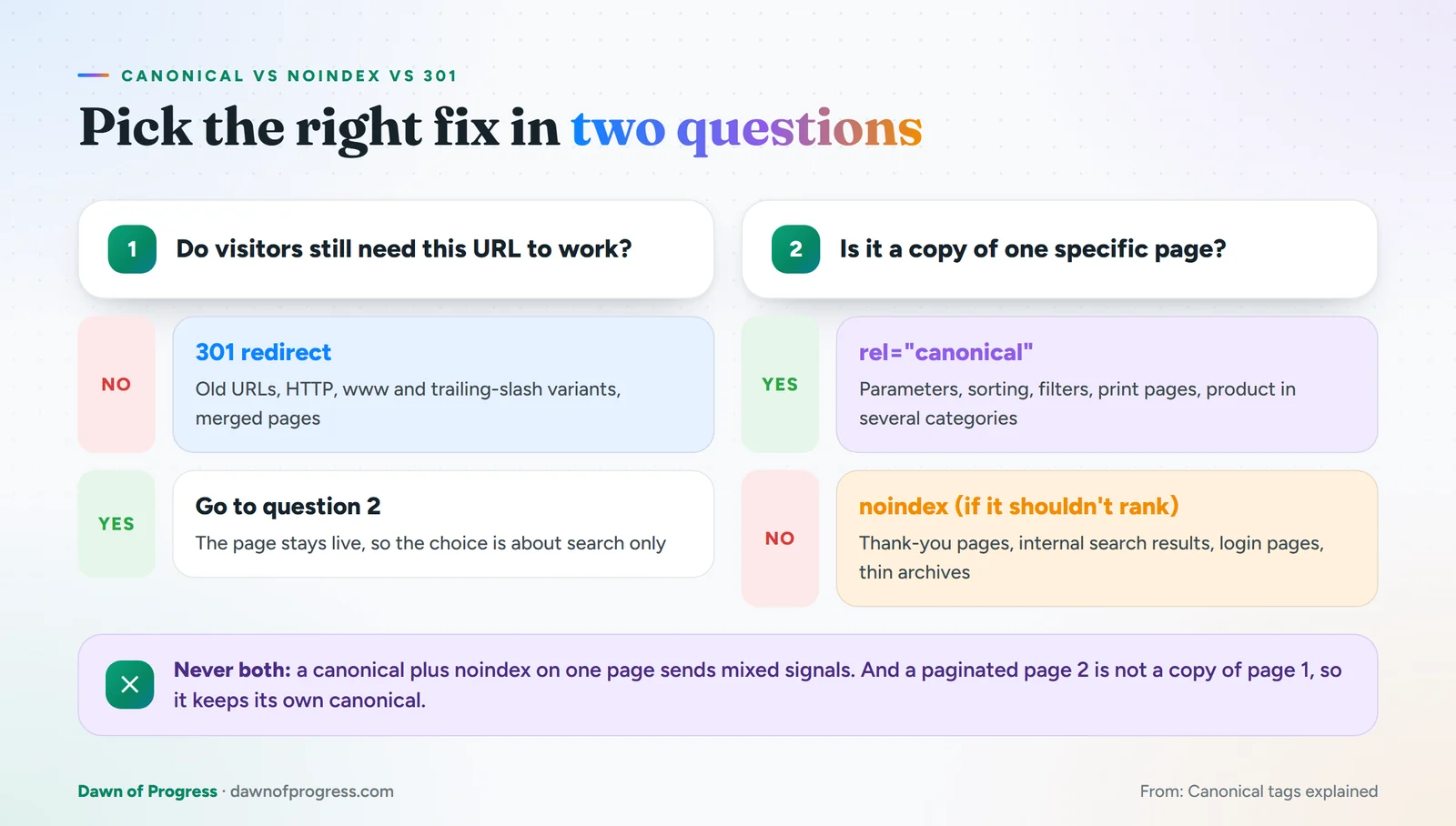
These three tools solve different problems. Pick by asking two questions: do people still need to reach this URL, and should it ever appear in search?
| Situation | Use | Why |
|---|---|---|
| Old URL replaced by a new one | 301 redirect | Nobody needs the old URL; signals pass to the new one |
| HTTP, www or trailing-slash variants | 301 redirect | One version should exist site-wide |
| Two pages on the same topic, merging content | 301 redirect | Combine them into the stronger page |
| URL parameters, sorting, filters, tracking codes | rel=”canonical” | Users need the URL to work; search needs one version |
| Print pages, product in several categories | rel=”canonical” | Same content, different path |
| Same PDF at two URLs | Canonical HTTP header | PDFs have no HTML head |
| Thank-you pages, internal search results, login pages | noindex | Users need them, but they should never rank |
| Thin tag archives you don’t want in search | noindex | Not a duplicate of one specific page |
| Your article syndicated on a partner site | noindex on the partner’s copy | Google’s current recommendation |
| Pages that are similar but meaningfully different | Neither; make them distinct | Separate pages for separate intents |
Two combinations to avoid:
- Canonical plus noindex on the same page. The canonical says “merge me into that page”, the noindex says “drop me entirely”. Google has to guess which one you meant. Pick one.
- robots.txt blocking a duplicate. If Google can’t crawl the page, it can’t see your canonical tag, and the blocked URL can still be indexed without its content. Google explicitly says not to use robots.txt for canonicalization. Read my robots.txt guide for what it should be used for.
How should you handle canonical tags on paginated pages?
Give each paginated page its own self-referencing canonical. Page 2 of your blog archive should point to page 2, not page 1. Google’s pagination guidance says plainly: “Don’t use the first page of a paginated sequence as the canonical page” (Google Search Central: pagination).
<!-- On https://example.com/blog/page/2/ -->
<link rel="canonical" href="https://example.com/blog/page/2/">
The reason is simple: page 2 lists different posts from page 1, so it isn’t a duplicate. Pointing it at page 1 tells Google to ignore it, and the posts linked only from deeper pages become harder to find.
Also note that Google no longer uses rel="prev" and rel="next". Other search engines may still read them, so there’s no harm leaving them, but they do nothing for Google. What matters is that each page links to the next with a normal <a href> link, so Googlebot can follow the sequence. A “View all” page is the one case where pointing paginated pages to a single canonical makes sense, because it really does contain all the content.
How do you check canonical tags in Google Search Console?
Google Search Console gives you two views: one page at a time, and the whole site.
Check one page with URL Inspection
- Open Search Console and paste the full URL into the inspection bar at the top.
- Expand the Page indexing section of the result.
- Compare User-declared canonical (what your tag says) with Google-selected canonical (what Google chose).
- If they match, you’re done. If they differ, go to the fix list below.
- After fixing, click Test live URL to confirm the new tag is visible, then Request indexing for important pages.
You can also check the tag yourself: right-click the page, choose View page source, and search for rel="canonical". There should be exactly one.
Read the Page indexing report statuses
In Indexing > Pages, Search Console lists reasons pages aren’t indexed. Three are about canonicals (Search Console Help: Page indexing report):
| Status | What it means | What to do |
|---|---|---|
| Duplicate without user-selected canonical | Google sees this page as a duplicate of another, and the page doesn’t declare a canonical. Google chose a different URL. | Inspect the URL to see Google’s choice. If it’s right, add a canonical pointing there. If not, fix your signals. |
| Duplicate, Google chose different canonical than user | You marked this page as canonical, but Google picked another URL instead. | Compare both URLs. Fix conflicting signals, or make the pages meaningfully different. |
| Alternate page with proper canonical tag | This page points correctly to an indexed canonical. | Nothing. This is working as intended. |
Large numbers here are usually fine. On a store with filters and tracking links, thousands of “Alternate page with proper canonical tag” URLs is normal. Worry only when an important page, such as a key service page or best-selling product, shows up as a duplicate.
How to fix “Google chose different canonical than user”
Work through these in order:
- Check your tag. Is it in the head, absolute, and pointing to a live 200 page?
- Check redirects. Does the URL you declared redirect somewhere else?
- Check internal links. Do your menus, breadcrumbs and internal links point to the URL you declared, or to a variant?
- Check your sitemap. Does it list the declared canonical, and only that?
- Check HTTPS and hreflang. Is the declared URL on HTTPS, and part of a correct hreflang set if you use one?
- Check the content. If the two pages are only nearly the same, Google may merge them. Google says re-evaluation after you make pages clearly different can take up to two weeks.
- Request indexing for the pages that matter most.
How do canonical tags work in WordPress and Shopify?
Both platforms set canonical tags automatically. Your job is to know what they do and when to override them.
WordPress
WordPress core adds a self-referencing canonical to single posts and pages. SEO plugins such as Yoast SEO, Rank Math and All in One SEO extend this to the homepage and archives, and add a “Canonical URL” field in each post’s advanced settings so you can set a custom one. Points to remember:
- Run only one SEO plugin. Two plugins means two canonical tags, which is the “multiple canonicals” mistake below.
- Set your preferred domain under Settings > General (WordPress Address and Site Address), so canonicals use the right HTTPS and www format.
- Leave the canonical field empty on most posts. Only fill it in when the post is genuinely a duplicate of another URL.
My WordPress SEO checklist covers the rest of the plugin setup.
Shopify
Shopify themes output the canonical through the {{ canonical_url }} Liquid object, usually in layout/theme.liquid. By default, product URLs reached through a collection, like /collections/sale/products/blue-trainers, point their canonical to the plain /products/blue-trainers URL, and variant URLs point to the main product. That covers the biggest source of duplicates on a store.
What Shopify doesn’t solve for you:
- Tagged and filtered collection pages (such as
/collections/all/red) may need theme code or an app to canonicalize the way you want. - Internal links in custom themes sometimes use the collection-aware product URL. Linking straight to
/products/...keeps signals consistent. - Editing theme code: test any canonical change on a duplicate theme first, then check the page source.
What are the most common canonical tag mistakes?
These are the errors I see most often when I run an SEO audit:
- Canonical pointing to a non-indexable URL. The target has noindex, is blocked by robots.txt, returns a 404, or redirects. Always point to a final, live, indexable 200 URL.
- Canonical pointing to a redirected URL. For example, the tag points to
http://but that redirects tohttps://. Update the tag to the final URL. - Multiple canonical tags on one page. Usually a theme and a plugin both add one. When Google finds conflicting canonicals, it may ignore all of them.
- Canonical in the body. Some page builders inject it in the wrong place, or broken HTML ends the head early. Google ignores canonical tags in the body.
- Relative URLs.
href="/page"can resolve wrongly, especially on staging sites copied to live. Use the full URL. - Every page canonicalized to the homepage. A theme bug or bad template setting can do this, and it can drop whole sections out of Google.
- Paginated pages pointing to page 1. Each page should point to itself.
- Canonical and noindex together. Mixed signals. Pick one.
- Using robots.txt or the URL removal tool to handle duplicates. Neither is a canonicalization method. The removal tool hides all versions of a URL, including the one you want.
- Canonical to a URL fragment.
https://example.com/page/#sectionisn’t supported as a canonical. - Sitemap and internal links disagreeing with the tag. Every signal should name the same URL.
Frequently asked questions
What is a canonical tag in simple terms?
It’s a line in a page’s HTML that tells search engines “this is the main version of this page”. It helps Google show the right URL when the same content is available at several addresses.
Is a canonical tag a directive or a hint?
A hint. Google calls it a strong signal and usually follows it, but it can choose a different URL when other signals, such as redirects, internal links or sitemaps, point elsewhere.
What does “Duplicate without user-selected canonical” mean?
Google found a page that duplicates another, the page has no canonical tag, and Google picked a different URL as the main version. If Google’s choice is right, add a canonical pointing to it; if not, fix your signals so they point to your preferred URL.
Does a canonical tag pass link equity?
Google says canonicalization consolidates signals such as links from duplicates into the canonical URL. That’s one of the main reasons to use it. A 301 redirect does the same more reliably when the duplicate doesn’t need to exist.
Should the canonical URL have a trailing slash?
Either format works. What matters is consistency: pick one, redirect the other to it, and use the same format in canonicals, sitemaps and internal links.
Can a canonical tag point to a different domain?
Yes, cross-domain canonicals are supported. For articles syndicated to other sites, though, Google now recommends the partner use noindex instead.
Do I need canonical tags if I have only one version of each page?
Yes, add self-referencing canonicals anyway. Tracking parameters and outside links create duplicate URLs you never made yourself.


