
Last updated: November 2026. Written by Syed Usman Riaz.
Google Business Profile optimization means making your free business listing on Google Search and Maps as complete, accurate and trusted as possible, so you show up when nearby people search for what you sell. Google says local results are based mainly on three things: relevance, distance and prominence. You can’t change distance and you can’t pay for a better local ranking, so the work is about relevance (the right category, services and details) and prominence (reviews, links and a well-known brand). Most of it takes a few hours to set up and about 30 minutes a week to keep up.
This guide walks through every part of a profile in a practical order, explains what Google’s own rules say, and ends with a weekly and monthly routine you can copy.
Key takeaways
- Your primary category matters most. Pick the most specific one that describes what your business is, then add only the extra categories that truly fit (up to 9).
- Use your real-world business name. Adding keywords or city names breaks Google’s guidelines and is a common reason for suspensions.
- Reviews are the prominence lever you control. Ask every real customer, reply to every review, and never offer rewards or ask only happy customers.
- Fill in everything that applies: hours, special hours, services, products, attributes, description, photos. Complete profiles are easier for Google to match to searches.
- Track results with UTM links and the Performance report, not with rankings alone. Calls, direction requests and website clicks are what pay the bills.
What is a Google Business Profile?
A Google Business Profile (GBP) is the free listing that shows your business name, location, hours, reviews and photos in Google Search and Google Maps. It used to be called Google My Business, and many people still use that name. When someone searches “plumber near me” or “bakery in Lahore”, the map with three businesses under it (often called the local pack or map pack) is built from these profiles.
A profile is open to businesses that meet customers in person: either customers visit your location, or you travel to them. Online-only businesses aren’t eligible. If you sell only through a website, focus on normal SEO instead.
Local SEO is the wider job of getting a business found for location-based searches. Your profile sits at the centre of it.
How does Google rank businesses in local results?
Google’s Business Profile Help page lists three main factors (Tips to improve your local ranking on Google):
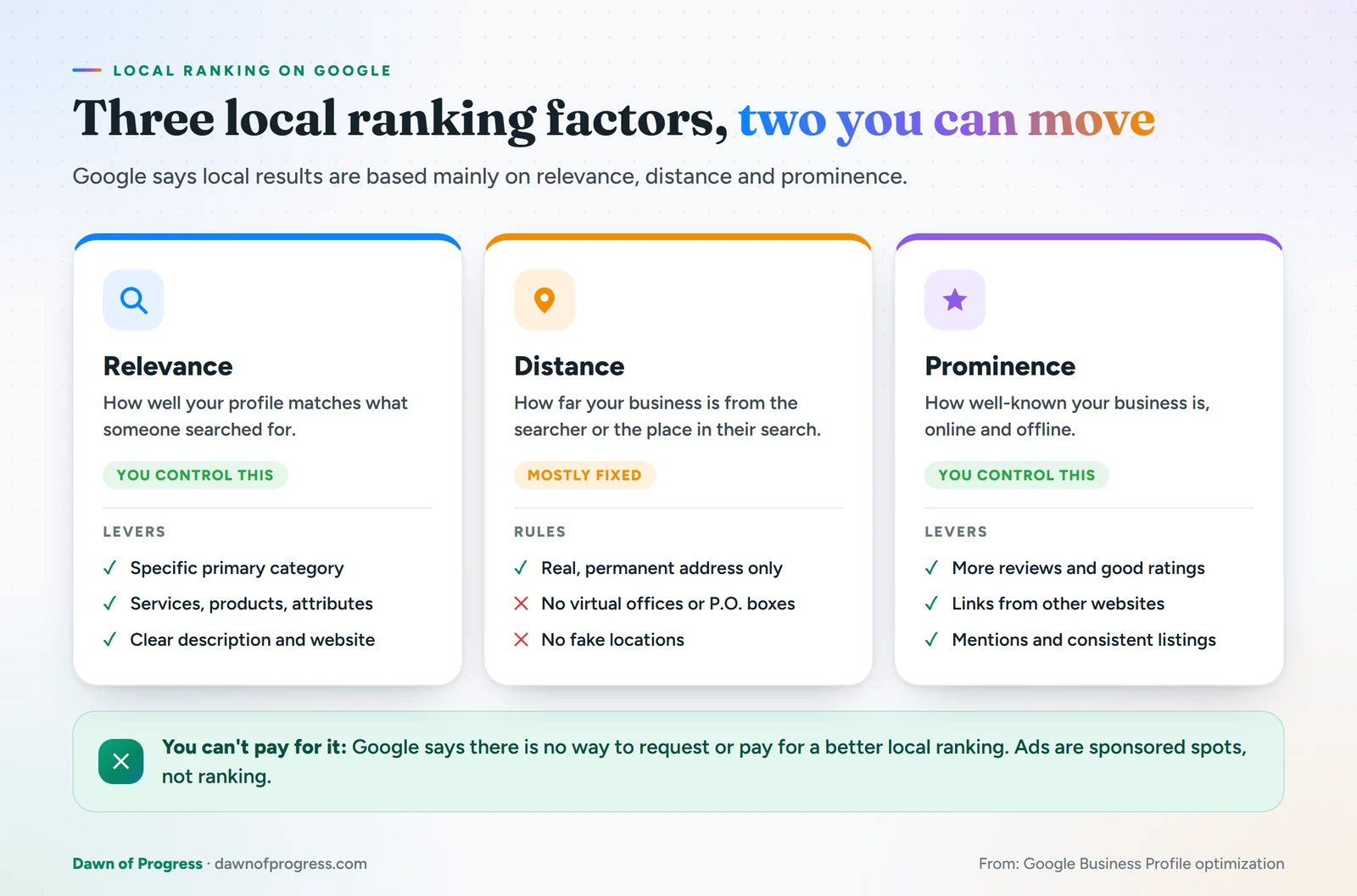
| Factor | What Google means | What you can do about it |
|---|---|---|
| Relevance | How well your profile matches what someone searched for | Right categories, services, products, description, attributes and a matching website |
| Distance | How far your business is from the searcher, or the location in their search | Almost nothing. Don’t fake addresses to get closer to busy areas |
| Prominence | How well-known your business is, online and offline | Reviews and ratings, links from other sites, mentions, and a strong website |
Google adds two points that matter for every decision below. First, “there’s no way to request or pay for a better local ranking.” Google Ads can put you in sponsored map spots, but that’s advertising, not ranking. Second, more reviews and positive ratings can help your local ranking, and prominence also takes into account how many websites link to your business.
That’s why GBP work and website SEO belong together. In my client work since 2014, the local businesses that held strong map positions almost always had a decent website behind the profile, not just a well-filled listing.
How do you claim and verify your Business Profile?
Verification proves to Google that you’re allowed to manage the business. Unverified profiles can’t use most features or see performance data.
- Search for your business name on Google Maps. If a listing already exists, choose the option to claim it. If not, go to business.google.com and add your business.
- Sign in with a Google Account the business owns (a shared business account, not an employee’s personal email).
- Enter your business name, category, and either a customer-facing address or a service area.
- Add your phone number and website.
- Complete verification with the method Google offers you.
Google picks the verification method automatically, and you can’t choose it. In 2026 the most common method is a short video verification: you record your location, signage, tools or equipment and proof of management (keys, a till, business documents) in one continuous clip. Other options you may see include phone or text, email, a live video call or a postcard. Review can take several business days.
Show real proof in the video (permanent signage, branded vehicle, the inside of your premises), and don’t make big edits while verification is pending. If an old agency or ex-employee owns the profile, use the request-access option on it.
How do you choose the right Google Business Profile categories?
Your primary category is one of the strongest relevance signals you control. Google lets you choose one primary category plus up to 9 additional categories.
Google’s rule of thumb is to pick categories that complete the sentence “This business is a …”, not “This business has a …”. A hotel with a restaurant inside is a “Hotel”, not a “Restaurant”. Google also asks you to use as few categories as possible to describe your core business (guidelines for representing your business).
How I pick categories:
- Search your main service locally and note the primary categories of the top three map results.
- Choose the most specific primary category that matches what most of your revenue comes from. “Emergency veterinarian service” beats “Veterinarian” if that’s truly your business.
- Add secondary categories only for real, separate lines of work. A bathroom remodeler who also does kitchens can add “Kitchen remodeler”.
- Don’t add categories as keywords. If you don’t sell it as a main line of work, leave it out.
| Business | Good primary category | Reasonable secondary categories | Avoid |
|---|---|---|---|
| Dental clinic doing mostly cosmetic work | Cosmetic dentist | Dentist, Teeth whitening service | Orthodontist (if you don’t offer it) |
| Pizza takeaway | Pizza takeout | Pizza delivery, Pizza restaurant (if there’s seating) | Italian restaurant, Bakery |
| Air-conditioning installer | Air conditioning contractor | HVAC contractor, Air conditioning repair service | Electrician, Plumber |
What are the rules for your business name?
Use your real-world business name exactly as it appears on your signage, website and invoices. Google’s guidelines don’t allow extra information in the name, including:
- Marketing taglines (“Best Prices in Town”)
- Service or product keywords that aren’t part of your legal or branded name
- Location words (“Dhaka”, “Downtown”) unless they’re truly part of your brand
- Phone numbers, URLs, opening hours or store codes
- Special characters, trademark symbols or ALL CAPS styling
Before: “Smith Plumbing | 24/7 Emergency Plumber Houston TX” After: “Smith Plumbing”
Keyword stuffing can give a short-term boost, which is why competitors do it, but it’s one of the most common reasons for suspension. If a competitor stuffs keywords, use “Suggest an edit” on their profile. If you truly want a keyword in your name, rebrand properly first (signage, website, registration), then update the profile.
Should you show your address or set a service area?
It depends on whether customers come to you.
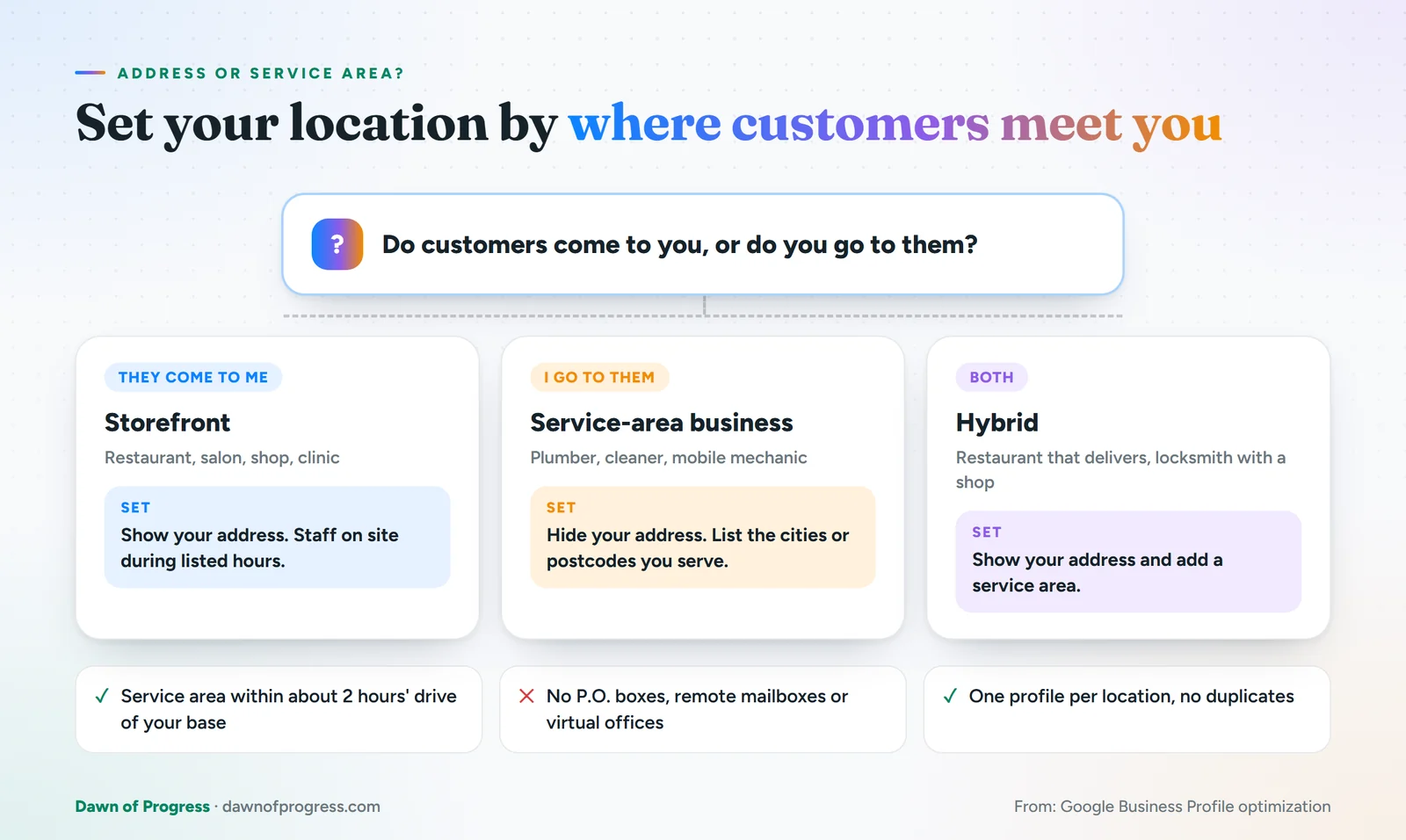
| Business type | Example | What to set |
|---|---|---|
| Storefront | Restaurant, salon, shop, clinic | Show your address. Staff must be there during your listed hours. |
| Service-area business (SAB) | Plumber, cleaner, mobile mechanic | Hide your address and set a service area by cities or postcodes. |
| Hybrid | Restaurant that also delivers, locksmith with a shop | Show your address and also set a service area. |
The address must be a real, permanent location: no P.O. boxes, remote mailboxes or virtual offices, and one profile per location. Google says a service area generally shouldn’t extend farther than about two hours of driving from your base. Hiding your address doesn’t hide your location from Google, so service-area businesses still tend to rank best near their verified base.
How should you set hours and special hours?
Set your regular customer-facing hours, meaning when customers can actually visit or reach you.
- Regular hours: the hours on your door. If you’re open by appointment only, Google says not to list hours.
- Special hours: holidays, half-days and one-off closures. Set these weeks ahead. Google often prompts you before major holidays.
- More hours: separate hours for things like delivery, takeaway, senior hours or a drive-through, if your category supports them.
- Temporarily closed: use this for seasonal or long closures, instead of deleting hours.
Wrong hours are one of the fastest ways to earn a bad review.
How do you add services, products and a description?
Services
Add each service you offer as its own item, with a short plain-language description and a price if you’re comfortable sharing it. Google offers suggested services for many categories. Use those where they fit, then add custom ones for anything missing. Write services the way customers say them (“blocked drain repair”), not the way the trade says them.
Products
Eligible businesses can add products with a photo, price, description and link. Google says retailers in eligible countries can also show in-store products and stock in local results. Service businesses can sometimes use products as packages, such as “Annual boiler service”.
Business description
You get up to 750 characters, and the first part shows before the “More” link. Write it for a person who has never heard of you:
- What you do and for whom (first sentence).
- Where you work and how long you’ve been doing it.
- What makes you different, with specific facts (licensed, family-run, same-day appointments).
- A simple next step.
Google doesn’t allow URLs, HTML, prices, promotions or sales language in the description. Keep keywords natural. The description is mainly for people.
Example (service-area business): “Ali Electric is a licensed electrician serving homes and small businesses across Lahore Cantt, DHA and Gulberg since 2012. We handle rewiring, fault finding, generator and UPS installation, and safety inspections, with same-day callouts for urgent faults. Every job comes with a written quote before work starts and a 12-month workmanship guarantee. Call or send a message to book a visit.” (Example business, for illustration.)
What photos and videos should you upload?
Photos help people decide before they visit, and Google lists them among its tips for local ranking. Upload these first:
- Logo and cover photo.
- Exterior shots, so people recognise the building.
- Interior shots of your shop, office or waiting area.
- Work and products: finished jobs, dishes, before-and-after photos.
- Team photos, which build trust for service businesses.
- Short videos of the space or a job in progress.
Use real photos, not stock images; a steady phone in good light is enough. Add new ones regularly. Before uploading, compress files and give them descriptive names, as explained in my image optimization guide. There’s no proof that file names or location data inside photos change map rankings, so don’t spend time on “geotagging” tricks.
Which attributes should you add?
Attributes are small facts such as “Wheelchair-accessible entrance”, “Free Wi-Fi”, “Outdoor seating”, “Online appointments” or “Women-owned”. They show on your profile and help Google match searches that include those details (“restaurant with outdoor seating”).
Fill in every one that’s true. The list depends on your category and country, and customers can suggest some, so check them now and then.
Are Google Business Profile posts worth it?
Yes, as a low-cost habit, though they’re not a big ranking factor on their own. Posts let you share three kinds of content on your profile:
- Updates: news, new services, seasonal tips or recent projects.
- Offers: a promotion with a start and end date and an optional coupon code.
- Events: something happening at your business, with dates and times.
Posts show the business is active and add fresh, specific text about what you do. Add a photo and a button with a tracked link, and keep phone numbers out of the text, since Google may reject those posts. Aim for one a week. A short post about a real job you finished beats a generic “We’re the best in town” post.
Does Google Business Profile still have Q&A, messaging and booking?
These features have changed the most, so check what your own profile shows.
- Q&A: In December 2025 Google announced that the public questions and answers feature was changing. Customers now ask questions in Google Maps and get AI-generated answers drawn from your profile, your answers and your reviews. Google’s help page still lets owners answer questions where a Q&A section appears, but many profiles no longer show the old public box. So complete descriptions, services, attributes and review replies now do the job Q&A used to do.
- Messaging: Google’s original Business Profile chat was switched off in July 2024. In some regions you can now add a text-message or WhatsApp option so customers can contact you from the profile. If you add it, answer quickly.
- Bookings: Some categories can add links for appointments, reservations or online orders, and some can connect a supported booking provider so customers book directly on Google. Use the option your profile offers, and track the link.
Google adds and removes profile features often. Your categories, details, photos and reviews are the parts that last.
How do you get more Google reviews without breaking the rules?
Reviews are the biggest prominence factor you can influence directly, and they decide whether people choose you.
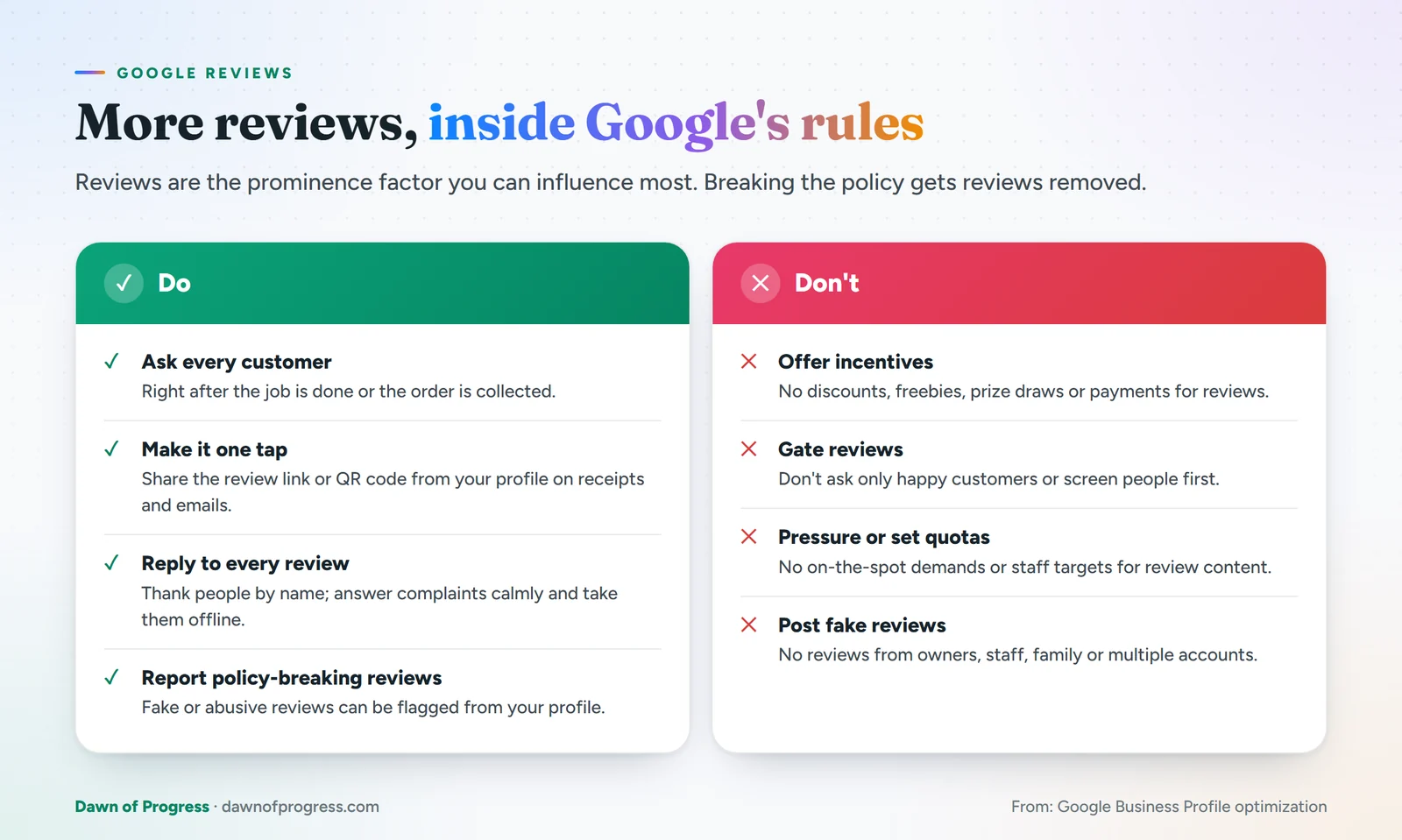
Google’s review policy is clear about what’s not allowed (fake engagement policy):
- No incentives. No discounts, freebies, entries into prize draws or payments in exchange for reviews.
- No review gating. You can’t ask only happy customers, or screen people first (“Were you satisfied? Yes takes you to Google, No takes you to a private form”).
- No pressure. Don’t require reviews on the spot or set staff quotas for review content.
- No fake or conflict-of-interest reviews. No reviews from the owner, staff or family, and no posting from multiple accounts.
- Don’t discourage negative reviews, and never offer something in return for changing or removing one.
What does work:
- Ask every customer right after the job is done or the order is collected.
- Make it one tap. In your profile, open the reviews section and use the “Get more reviews” share option to copy your review link or create a QR code. Put it on receipts, invoices, emails and a counter card.
- Ask personally, and send one reminder at most.
How should you reply to reviews?
Reply to every review, positive and negative, within a few days. Google recommends replying to show you value feedback.
- Positive: thank them by name, mention the specific service, keep it short. Don’t copy the same reply on every review.
- Negative: stay calm, apologise for the experience, state the facts politely, and move the conversation offline with a contact name or number.
- Fake or abusive: report the review through your profile if it breaks Google’s policies.
Why do NAP consistency and citations still matter?
NAP stands for name, address and phone number. Citations are mentions of your business details on other websites, such as directories (Yelp, Bing Places, Apple Business Connect, Facebook, industry and local directories).
Consistent details help Google trust your information and stop customers calling an old number. Citations matter less for ranking than they once did, but wrong details still cost you customers.
- Write down your exact name, address and phone number in one format, and use it everywhere.
- Claim your listings on Bing Places and Apple Business Connect. They feed other maps and assistants.
- Search your business name and old phone numbers to find outdated listings, and fix or close them.
- Add a few relevant industry or local directories. Quality beats quantity.
How should your website support your Business Profile?
Your website confirms your profile is real and earns much of your prominence.
- Link to the right page. For a single-location business, the homepage is fine. For multiple locations, link each profile to its own location page with that branch’s address, phone, hours and map.
- Match the details. The name, address, phone and hours on the page should match the profile exactly.
- Build service pages. A clear page for each main service, written for your area, supports both the map listing and normal rankings. My on-page SEO guide covers how to structure them, and the keyword research guide shows how to find the terms local customers use.
- Add LocalBusiness schema. Structured data tells search engines your business details in a machine-readable format.
Google’s local business structured data documentation requires name and address, and recommends properties such as telephone, url, geo, openingHoursSpecification and priceRange. Use the most specific type that fits (for example Dentist or Plumber instead of plain LocalBusiness). Here is a basic example in JSON-LD:
<script type="application/ld+json">
{
  "@context": "https://schema.org",
  "@type": "Plumber",
  "name": "Smith Plumbing",
  "url": "https://www.example.com/",
  "telephone": "+1-713-555-0142",
  "address": {
    "@type": "PostalAddress",
    "streetAddress": "1200 Main St",
    "addressLocality": "Houston",
    "addressRegion": "TX",
    "postalCode": "77002",
    "addressCountry": "US"
  },
  "openingHoursSpecification": [{
    "@type": "OpeningHoursSpecification",
    "dayOfWeek": ["Monday","Tuesday","Wednesday","Thursday","Friday"],
    "opens": "08:00",
    "closes": "18:00"
  }]
}
</script>
Test it with Google’s Rich Results Test before you publish, and check the rest of your site with the technical SEO checklist.
How do you track Google Business Profile results?
Track actions, not just rankings. Rankings change by street and by device, but calls and bookings are real.
The Performance report
Open your profile on Google Search or in the Google Maps app and choose Performance. Depending on your business, you’ll see:
- Interactions: the total of calls, chats, bookings, direction requests and website clicks.
- Views: how many people saw your profile, split by Search and Maps, and mobile and desktop.
- Searches: the search terms people used to find you, updated monthly.
- Calls, directions, website clicks, bookings and other actions, where they apply.
The searches list shows the words customers actually use; add them to your services and website. Data is only available for verified profiles.
UTM links
A UTM link is your normal URL with tags added at the end, so analytics tools know where a visit came from. Without them, clicks from your profile are usually counted as ordinary Google organic traffic. Use a tagged link as your profile’s website:
https://www.example.com/?utm_source=google&utm_medium=organic&utm_campaign=gbp-listingUse different utm_campaign values for your booking link and posts (for example gbp-booking and gbp-post). In Google Analytics 4, you can then see those visits and their conversions separately. Pair this with Google Search Console to see how your website’s local pages perform in normal results.
For calls, ask new callers how they found you, or use a call-tracking number as the primary number with your main local number as an additional number.
Why do Business Profiles get suspended, and how do you avoid it?
Google may suspend or disable profiles that break its guidelines. The most common causes I see are:
- Keywords or locations added to the business name
- Virtual offices, coworking desks or P.O. boxes used as addresses
- A storefront address shown when no staff are there during listed hours
- Several profiles for the same business, or profiles for every service
- Online-only businesses that don’t meet customers in person
- Fake or incentivised reviews
Keep every detail true, make major changes one at a time, and keep proof ready (registration, utility bills, signage photos).
If your profile is suspended, don’t create a new one. Google’s help page on fixing suspended or disabled profiles explains the appeal process: fix whatever broke the guidelines, then submit an appeal through the Business Profile appeals tool with evidence. Google says reviews can take up to five business days, and you shouldn’t submit multiple appeals for the same issue.
What is a good weekly and monthly maintenance routine?
A profile isn’t a one-time setup. Here is a routine that suits most small businesses. It takes about 30 minutes a week (an estimate).
| How often | Task |
|---|---|
| Every week | Reply to all new reviews |
| Publish one post (update, offer or event) | |
| Check for suggested edits from Google or the public and accept or reject them | |
| Ask recent customers for reviews using your link or QR code | |
| Every month | Upload 3 to 5 new real photos |
| Review the Performance report: interactions, views and search terms | |
| Check GA4 for visits and conversions from your UTM links | |
| Add any new services or products, and update prices | |
| Set special hours for upcoming holidays | |
| Every quarter | Recheck categories against top competitors |
| Check attributes and the business description are still accurate | |
| Audit main directory listings for NAP consistency | |
| Make sure profile managers and owners are still the right people |
What are the most common Google Business Profile mistakes?
- Choosing a broad primary category like “Contractor” when a specific one (“Roofing contractor”) exists.
- Stuffing keywords into the business name. It risks suspension and makes the business look spammy.
- Using a fake or virtual address to appear in a city where you don’t have a real location.
- Leaving the profile owned by an agency or ex-employee. Always keep the business’s own account as the primary owner.
- Ignoring reviews, especially negative ones. Silence looks worse than the complaint.
- Asking only happy customers for reviews, or offering discounts for them.
- Chasing features instead of basics. Posts and new features help, but categories, details and reviews do most of the work.
Frequently asked questions
How do I fully optimize my Google Business Profile?
Verify it, choose the most specific primary category, use your real name, fill in every field that applies (hours, services, products, attributes, description), upload real photos, and collect and reply to reviews. Then keep it current with weekly posts and monthly checks.
What does Google Business Profile optimization do?
It makes your profile more relevant and more trusted, so Google shows it for more local searches and more people call, visit or click through. It can’t change your distance from searchers, and it can’t buy you a higher ranking.
How much does it cost to optimize a Google Business Profile?
The profile itself is free. If you hire help, prices vary widely by country and by how much ongoing work is included, from a one-off setup fee to a monthly retainer. If you’d like a hand with it, you can work with me.
How long does it take to see results?
Fixes to categories and details can show changes within a few weeks once Google processes them. Review growth and prominence build over months. Treat any promise of “page one in 7 days” with suspicion.
Does Google Business Profile help my website SEO?
Indirectly. They share signals: links to your website count toward local prominence, and a strong profile sends visits and branded searches to your site. See what is SEO for the wider picture.
Do Google Business Profile updates affect AI answers?
They can. Google’s AI features in Maps and Search draw on your profile details and reviews, so accurate, complete information helps. I explain the bigger shift in SEO vs GEO.


